



Exercise 1: Github & Jupyter#
You first assignemnt is designed to get you setup and started with GitHub and Jupyter notebooks. You can can choose to work with the materials on this course locally on your computer or entirely virtually via GitHub. I encourage people to work locally just because it makes it easier to rework code and you get experience working with these tools in a more realistic environment.
1. Setup a GitHub account. To work locally, download the GitHub desktop client.
Choose either 2a or 2b of the below options
2a. Clone the class GitHub repository locally on your computer using the GitHub Desktop client:
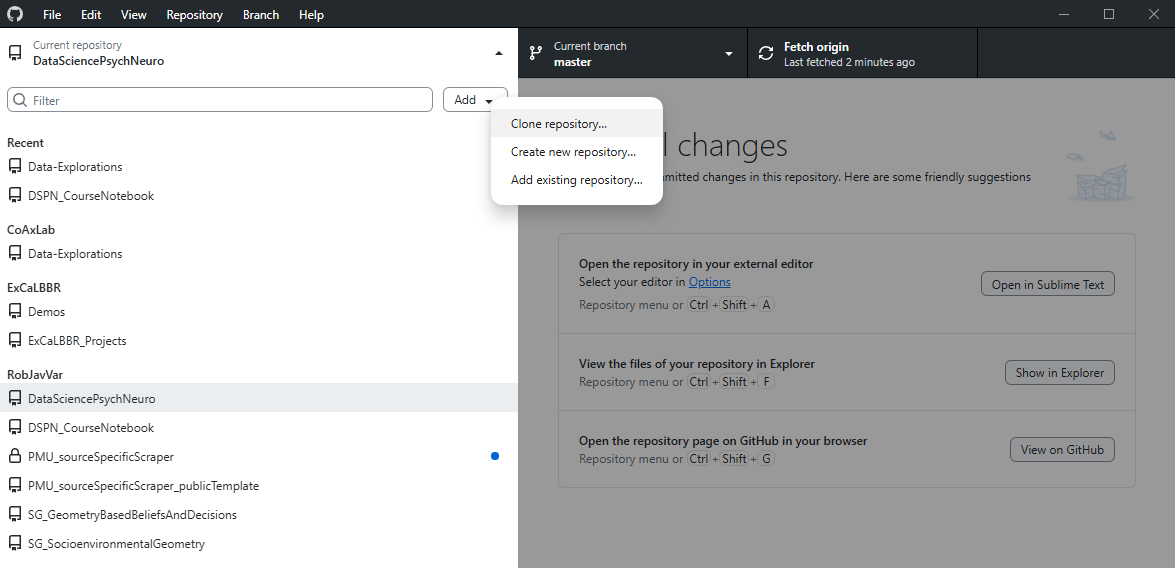
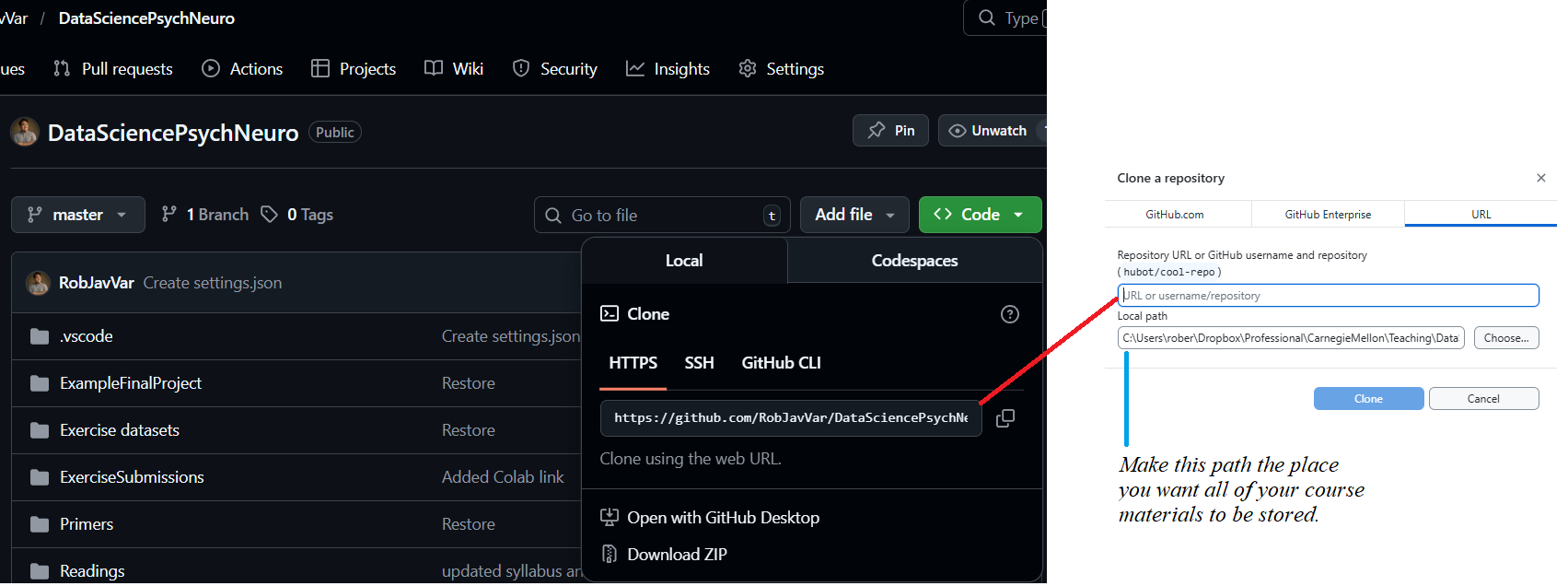
2b. Clone the class GitHub repository onto your GitHub repo:
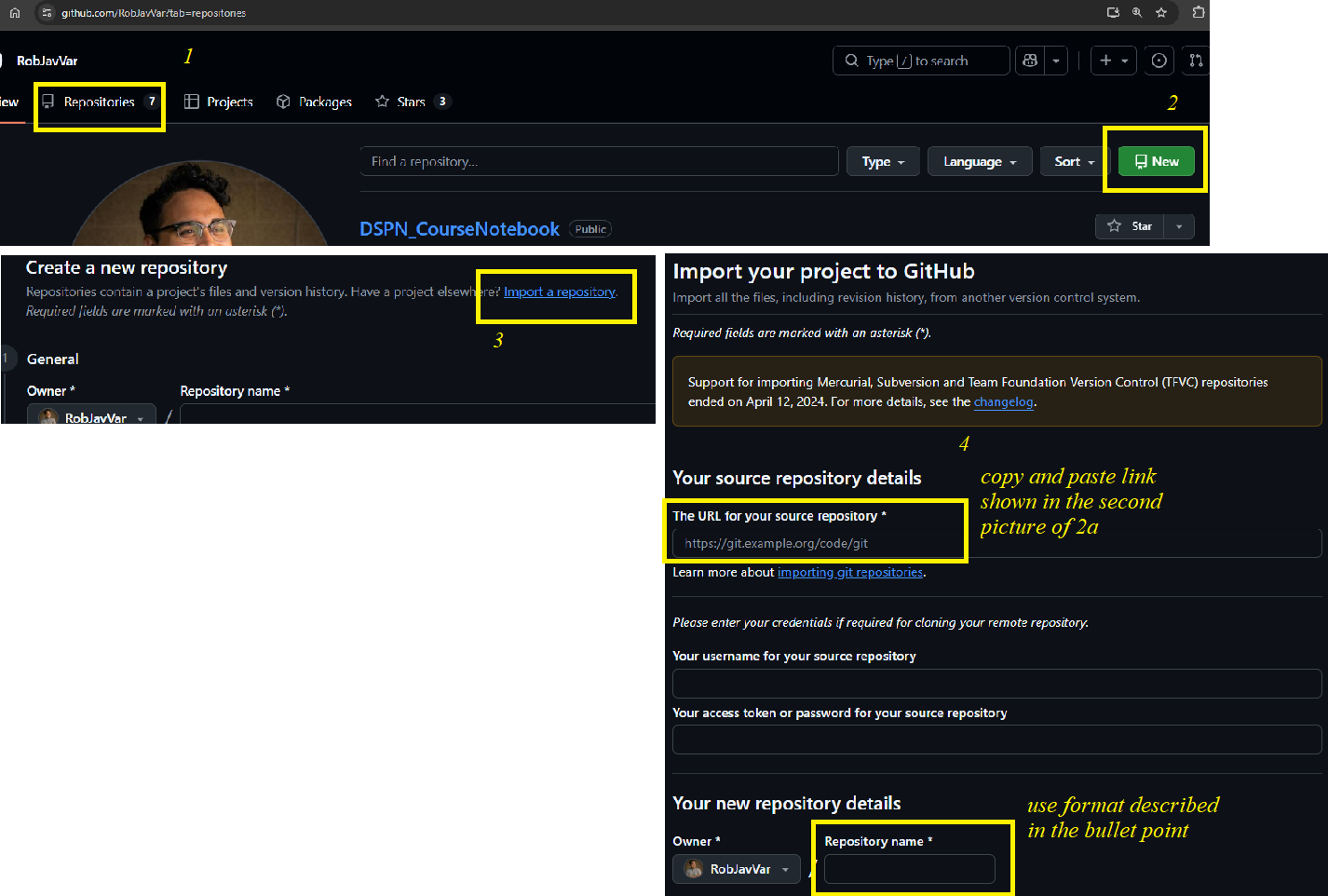
Create a new repository with the following name: <your_last_name>_DSPN_S26
Add the users coaxlab0 (that’s a zero at the end), RobJavVar, and the TA ([Jinhee’s GitHub]) as collaborators OR have your repo be public.
Note: This repository will be where you post your exercises and other assignments throughout the semester.
3. Open this notebook:
If you are working locally: open anaconda terminal -> type jupyter notebook -> then navigate to Exercise 1 notebook (e.g., DataSciencePsychNeuro\ExerciseSubmissions\01_the-value-of-openness.ipynb) and double click
If you are working using Google Colab on GitHub: Go to your cloned GitHub repo and navigate to the Exercise 1 notebook and open in Colab using the GoogleColab badge
4. Type “#Hello world!” in the code cell below (note that the “#” is for a comment)
#
5. Save the notebook.
6. If local, push your Jupyter notebook to the repository that you made on Github. If working through colab, save over your existing file on GitHub from colab
7. Submit a permalink to the notebook via Canvas. This is how we will turn in all exercises this semester.
Here is an example of what it could look like: RobJavVar/DataSciencePsychNeuro
It doesn’t have to be in this format as long as we can navigate to your notebook with the link.
Due: 5pm EST, Jan 22, 2026.
If additional help is needed with this assignment please contact me, the TA, or see the Wiki on the class Github repository, the tutorials for lectures 1 and 2, and the video titled “00 - Accessing and submitting materials with GitHub” on Canvas.